

The right spare part. Found in seconds.
Give your customers a digital spare parts catalog that shows exactly their machine – with an interactive 3D model, linked bill of materials and every document. Spare parts requests and fault reports reach your service team clear and complete.
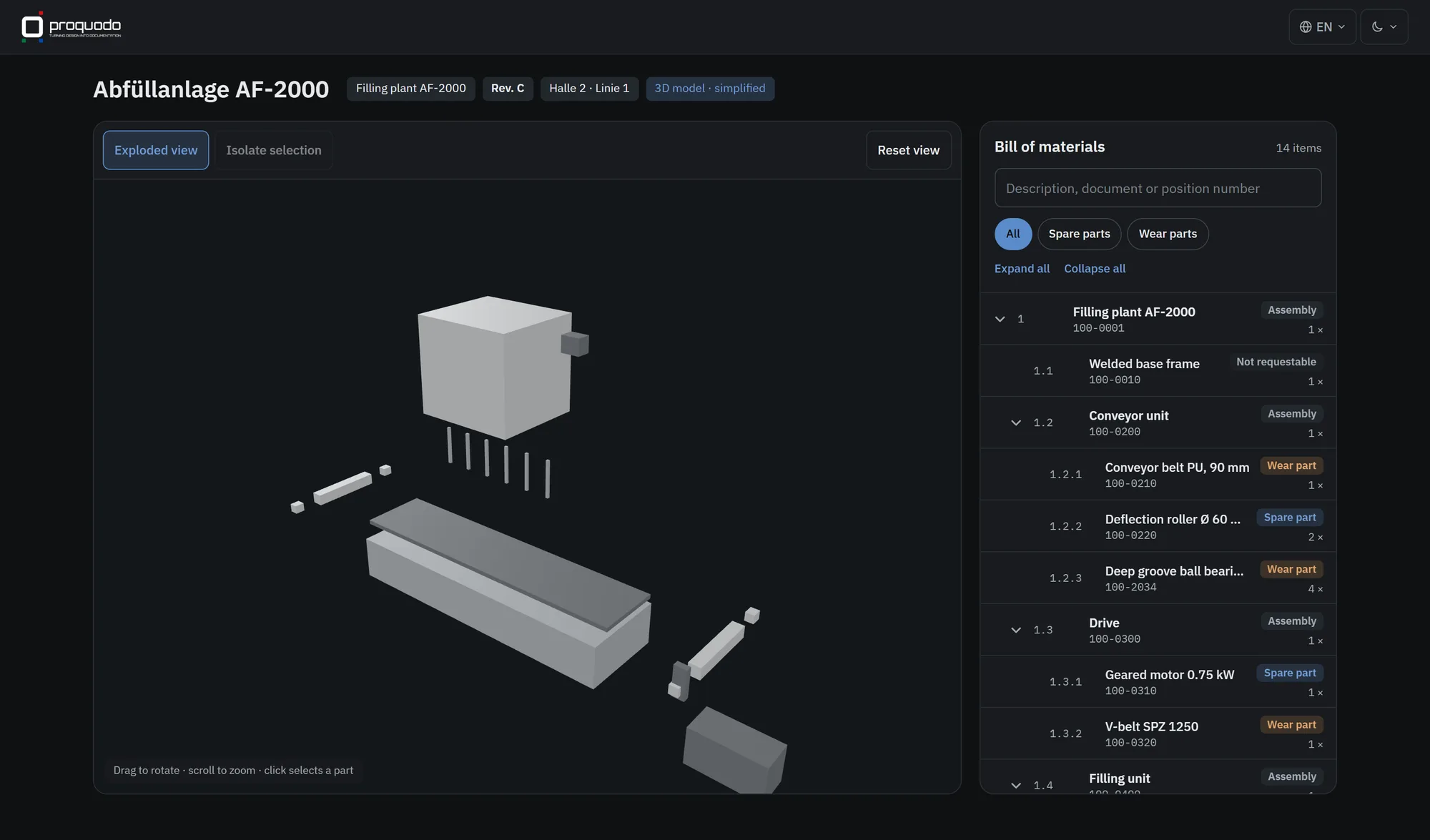
Find, don’t search
Click a part in the 3D model, expand it in the BOM or search – even by properties such as material or thread size. Matches light up in the model.
3D like in CAD
Continuous exploded view, section plane, transparency, isolate parts. Spare and wear parts in color, material colors as in your CAD system.
Every machine in its version
Customers see exactly the revision installed at their site. Large plants open assembly by assembly.
Request list & recommended kits
Collect parts with quantity, own reference and message, or request a kit such as “1-year spare parts stock” in one click. Replies go straight to the customer.
Fault reports
Customers report a fault right at the machine or component – with up to six photos and documents. Your service team sees machine, serial number and status.
Successor parts
Discontinued parts are marked and “replaced by” is shown – requests and kits use the successor automatically.
Documents in the right place
PDF preview with full-text search, images and downloads right at the part. Visibility per file: preview, download only or internal.
QR codes to IEC 61406
Scan the code on the machine or part and land right there. All codes of a machine as a ZIP for your label printer.
Six languages
Interface in German, English, French, Spanish, Polish and Chinese; machine data in every language proquodo supplies.
Clear. Fast. In your branding.
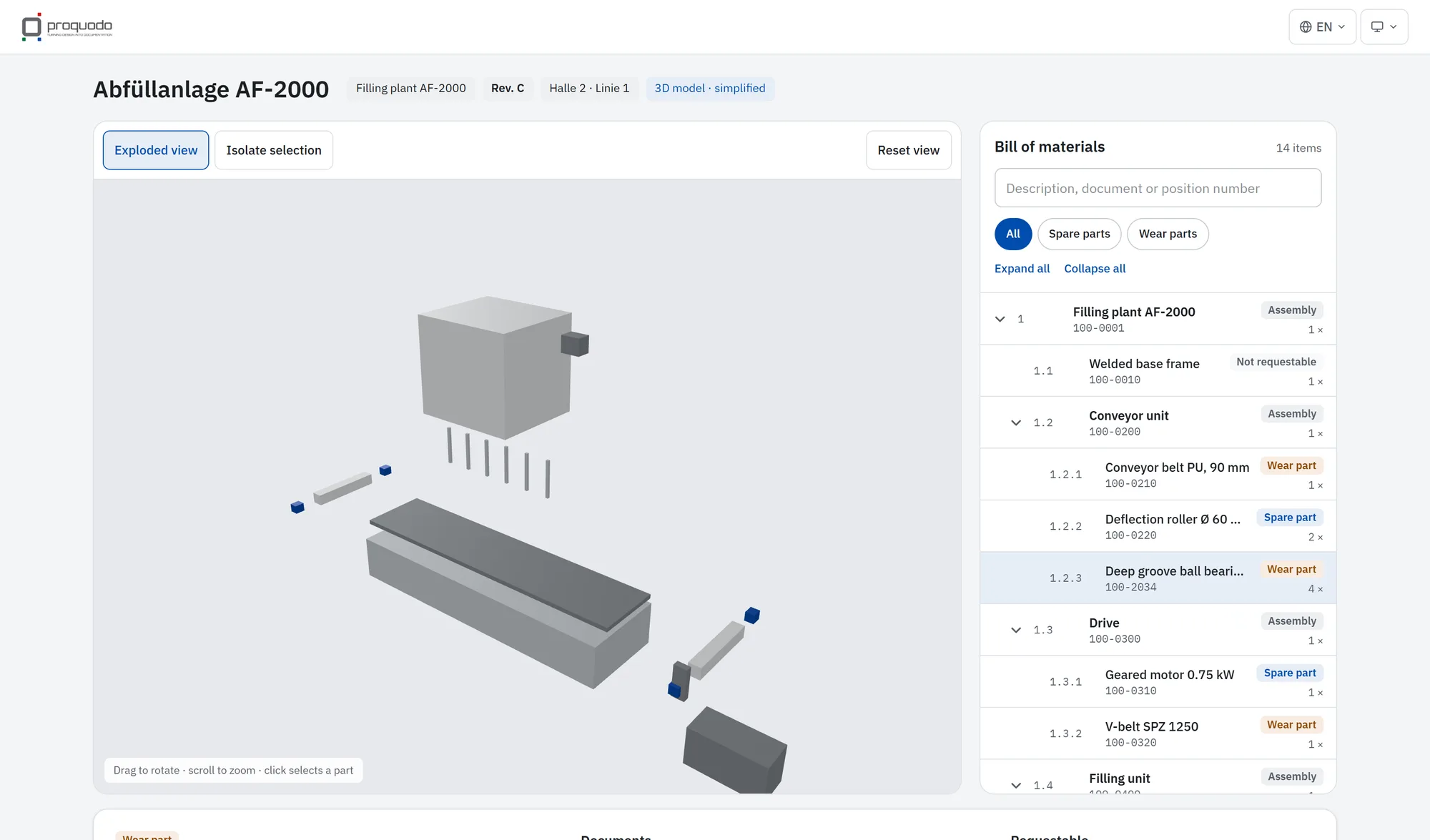
Service, maintenance and AI – at your customer’s machine.
proquodo parts accompanies your machine through its entire life. Some features are options we switch on for you.
Report a fault
The red button on the machine page: customers describe the fault, select the component in the 3D model and attach photos. You set the status, the customer sees it.
Maintenance plans & reminders
Intervals by calendar or counter – operating hours, pieces, cycles. Due maintenance shows at the machine and customers get an email reminder.
Guided maintenance in 3D
Step by step: highlight, hide or dismantle parts, with camera view, text and photos. Spare parts per maintenance task can be requested directly.
AI assistant “Ask the machine”
Questions in plain language about one machine or the whole catalog. Answers name parts and sources. Provider of your choice – Mistral, IONOS or Claude in Frankfurt.
Your own AI clients (MCP)
Your staff and customers connect Claude, ChatGPT or Copilot to the catalog – and only see what they may see in the catalog.
Asset Administration Shell (AAS)
Read maintenance plans, nameplate and documents from your AAS server – or let proquodo generate the shell per machine from the catalog data.
Your catalog. Your brand. Your domain.
The catalog carries your logo and colors – on a proquodo subdomain or your own domain such as parts.your-company.com. Contrast is checked automatically so everything stays readable. Emails to your customers come from your address, too.
- Your own logo (light & dark), favicon and colors
- Custom domain with automatic certificate – QR codes always use your domain
- Sender address on your domain with DKIM signature
- Links to your legal notice, privacy policy and terms
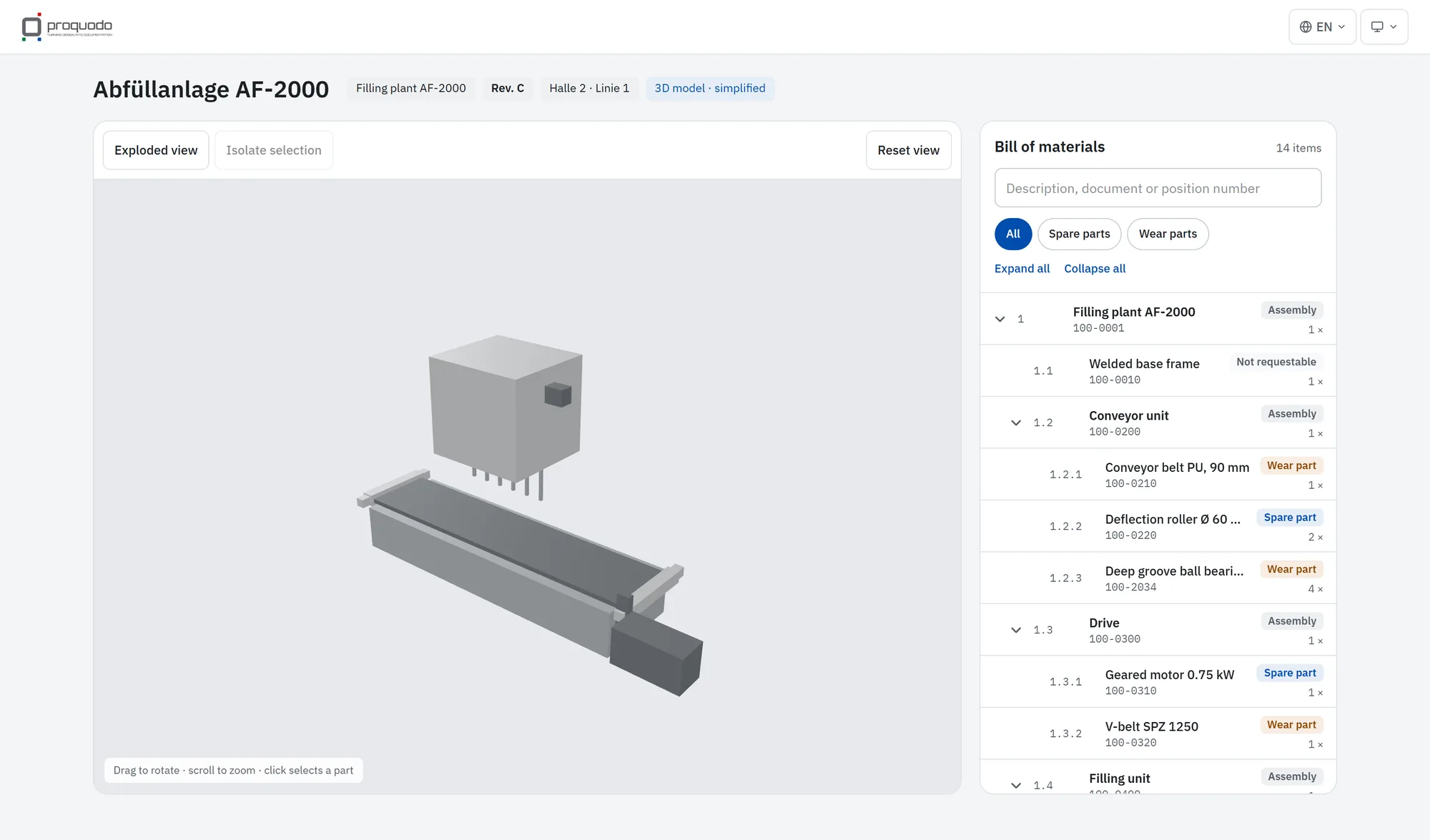
Everything under control – no IT project.
Customers & users
Customers with their machines and users; invite with role and language, lock, reset access.
Analytics
Most requested parts, searches without results, “viewed but not requested” – privacy-friendly per company, not per person.
Requests & reports
Incoming requests and fault reports per customer, with machine, serial number, part and quantity.
Switchable features
Turn off requests or fault reports – they then disappear from the catalog completely.
Restore backups yourself
Roll the catalog back to an earlier state at any time – without a support ticket.
Your data belongs to you
Export of all data including files in the import API format – also for switching providers under the Data Act.
From proquodo straight online – with preview and validation.
Export
proquodo assembles BOM, 3D models, documents and properties for a machine – multilingual, with successor parts and document categories.
Validate
A local preview shows the machine exactly as it will appear in the catalog – in your branding and with warnings about missing files or errors. STEP models are converted automatically.
Transfer
One click transfers the machine to the catalog, encrypted, and creates customer and machine. Only changed files are sent – even for plants with 30,000 BOM lines.
Security isn’t an add-on module for us.
Hosted in Europe
Operated in a European data center – GDPR compliant. Built to OWASP ASVS level 2.
Tenant isolation
A dedicated database, storage and key per manufacturer; files encrypted with AES-256.
Mandatory two-factor
Sign-in with passkey or password plus authenticator app; passwords checked against known breaches.
Virus scan & backups
Every file scanned on upload and every night; nightly encrypted backups with weekly restore tests.
Questions about the parts catalog
What is an electronic spare parts catalog?
An electronic spare parts catalog (EPC) presents a machine’s spare parts digitally – usually with an exploded drawing or 3D model, BOM and part information. Unlike a PDF list it is searchable, always current and enables direct requests.
Is proquodo parts an online shop?
No – it is deliberately a catalog without prices or ordering. Your customers build request lists that are emailed to your service team and can be exported as CSV. Prices and availability are prepared in the data model.
Does the catalog work without a 3D model?
Yes. Without a 3D model, the catalog works fully via BOM, search and documents.
How do my customers get access?
You invite your customers’ users in the manufacturer back end. Each customer only sees the machines assigned to them. The legally required documents of a machine are also available without sign-in via its QR code.
Does the catalog support the Asset Administration Shell (AAS)?
Yes, as an option: the catalog reads maintenance plans, nameplate, documentation and discontinuations from your AAS server – or generates the shell per type and machine from the catalog data, including AASX download.
How are packages and pricing structured?
We tailor packages and pricing to your machines, customers and the options you need. Contact us for a quote.
Turn spare parts into a growth business.
See in a live demo how your customers will find spare parts – and how quickly your own machine can be in the catalog.